Who can use this feature?
All users
Qwil Meet is convenient with the ability to start a meeting securely within a chat thread knowing everyone is who they say they are. However we do not offer recording, transcripts or AI capabilities on these meetings.
There are several reasons for that:
- We believe other technology partners already provide this capability and enhances our proposition - we recommend Krisp.ai and provide details below why.
- Developing and running the recording and transcript capability within Qwil would not be as be cost effective for our customers as dedicated solutions.
- Krisp and other providers are focused on audio, video, transcripts with AI across all platforms - customers may jump from Qwil Meet, Zoom, MS teams, Google Meet, and wish to record phone calls or in person meetings. Their objective is to record all meetings and centralise transcripts in one platform.
- Sharing is easy in Qwil - simply paste in the summary, the link or even the video in the chat thread.
Why we recommend Krisp.ai (currently):
We have tested many transcription solutions including bluedot, granola, Fireflies, Jamie.ai and Krisp.ai. This space is rapidly evolving with dedicated applications for industries - for example Marloo, PlannrPal, intelliflo IQ or Note takers embedded in CRM.
No bot joining meetings:
At Qwil, we do not favour a bot being automatically invited to a meeting - clients don't like it but also as it is a security risk as the joining link is open for all. Jamie.ai and Krisp.ai connect to the computer audio without the need for bot.
Desktop and mobile apps for in person meetings and phone calls:
Desktop apps mean that the system can work online and offline. In the case of Krisp and Jamie.AI, a pop up opens automatically when a video meeting is started asking the user whether it should be recorded.
The mobile app means that in person meetings can be easily recorded on the phone.
In addition, phone calls can also be recorded by Krisp.
Transcript, summaries, action items and sharing options (including the video):
Krisp provides high quality AI summaries and action points of the transcripts. It is easy to copy paste the summary in a Qwil chat thread or share a link to the full transcript and video recording. Jamie.ai and many other solutions do not keep the video recording.
Record all video meeting and all platforms:
Many solutions are restricted by bespoke integration to the common video platforms - zoom, teams, google. Recordings are only available to the organiser. Having a separate platform such as Krisp means you can record any video meetings (Qwil Meet, or Webex etc) whether you are the organiser or not.
Integrations included:
Krisp includes most integrations within the core plan. You can easily just copy paste the summary and link to your client but equally log the information in your CRM.
Security and compliance:
Krisp is an established provider working with the likes of vmware, cisco, ring central, Twillio across their product range. They provide HIPAA and GDPR compliance on the core plan as well as ensuring 2FA authentication for access. Consent is also obtained when required before the start of the recording.
Cost:
Most AI recording solutions have a free tier with limited functionality however cost can quickly jump to $25-100 per user / month subject to the number of meetings, length, integration needs etc. Krisp offers a 7 day trial for the core product and then $8 per staff member per month plan which includes everything you need and unlimited recordings/transcripts.
How to set up Krisp.ai to work with Qwil Meet?
- Go to https://krisp.ai/ and click on Get Krisp
- Create an account
- Download the desktop app and mobile app
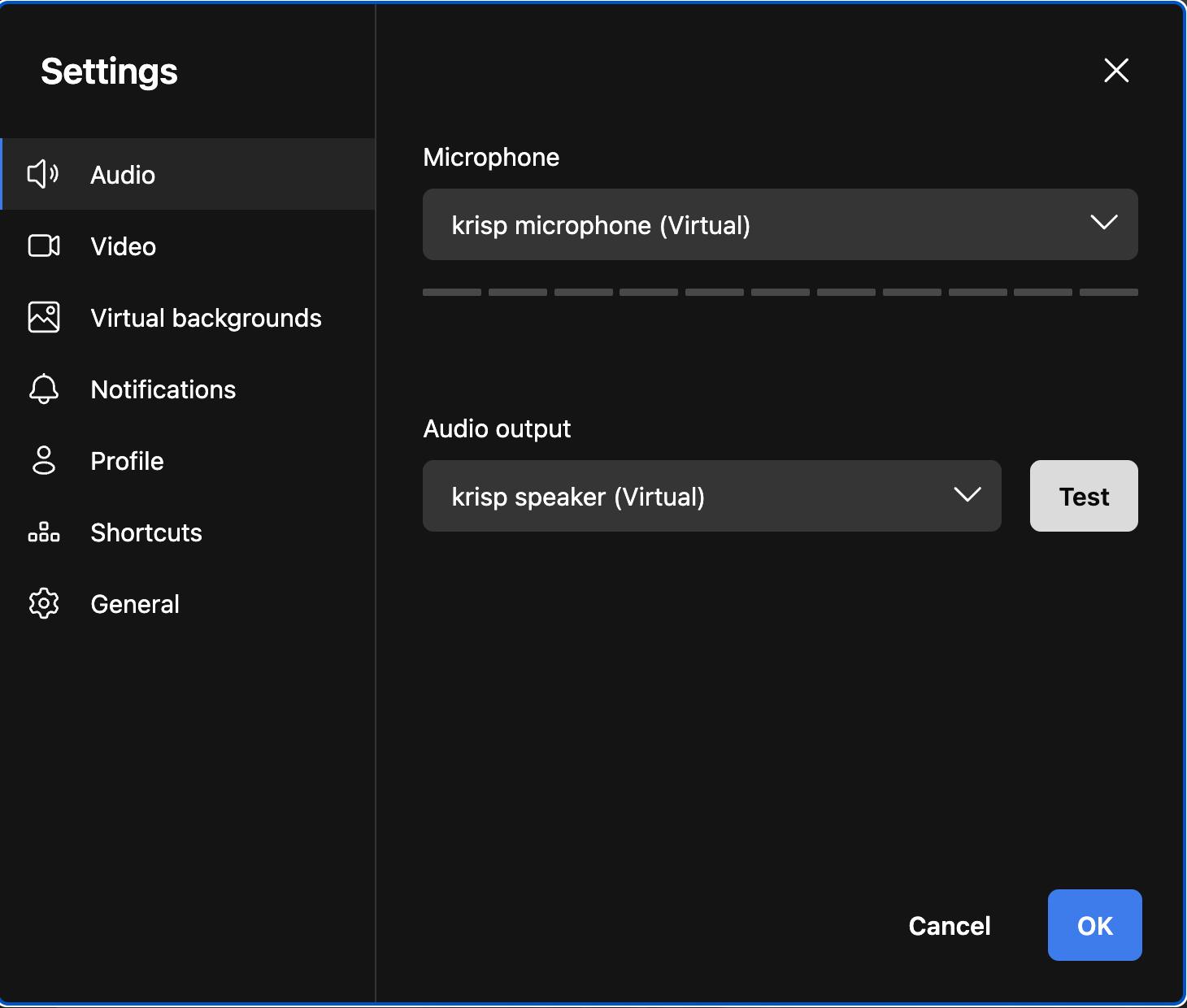
- When you are in Qwil Meet, make sure under settings you have selected Krisp for the virtual audio and microphone
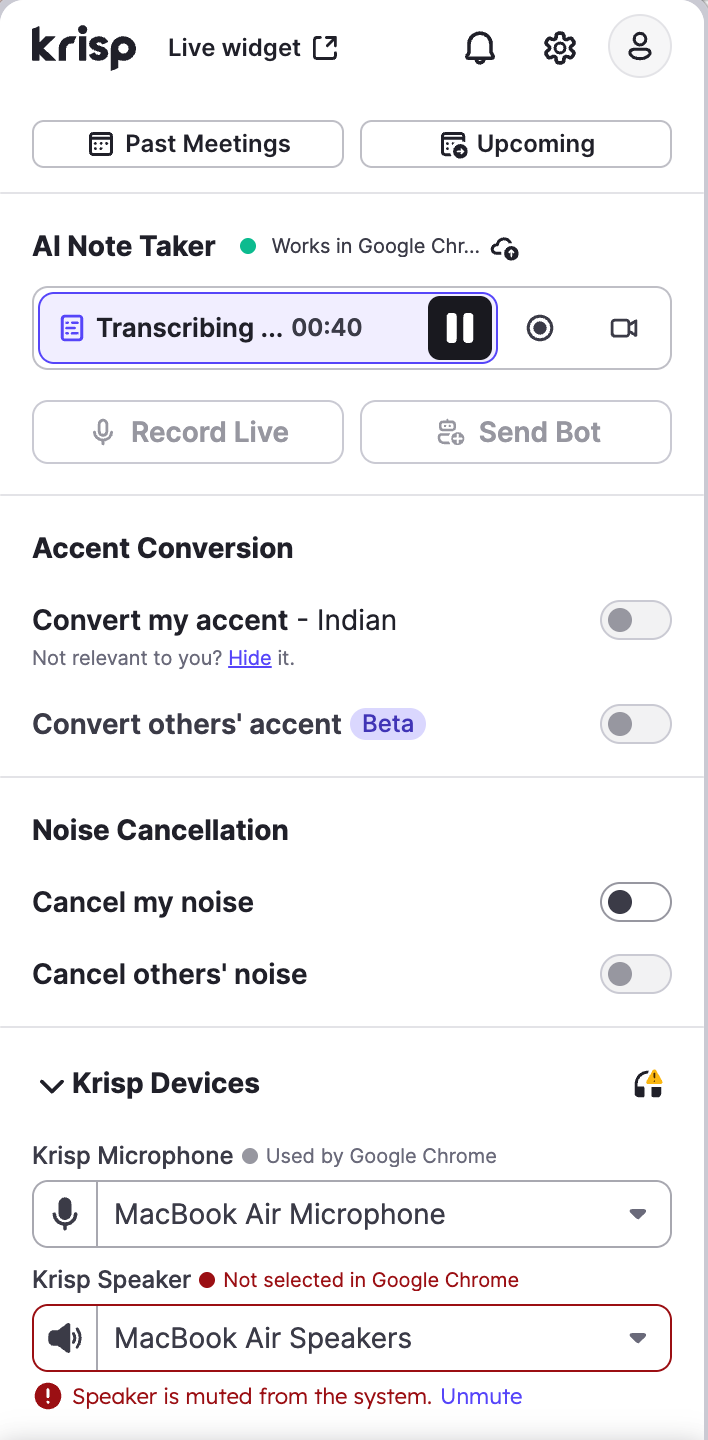
 Under the settings of Krisp (clicking on the top icon on desktop) , you can specify the audio device you are using (for example Macbook speaker or Airpods)
Screenshot from Krisp of a transcript
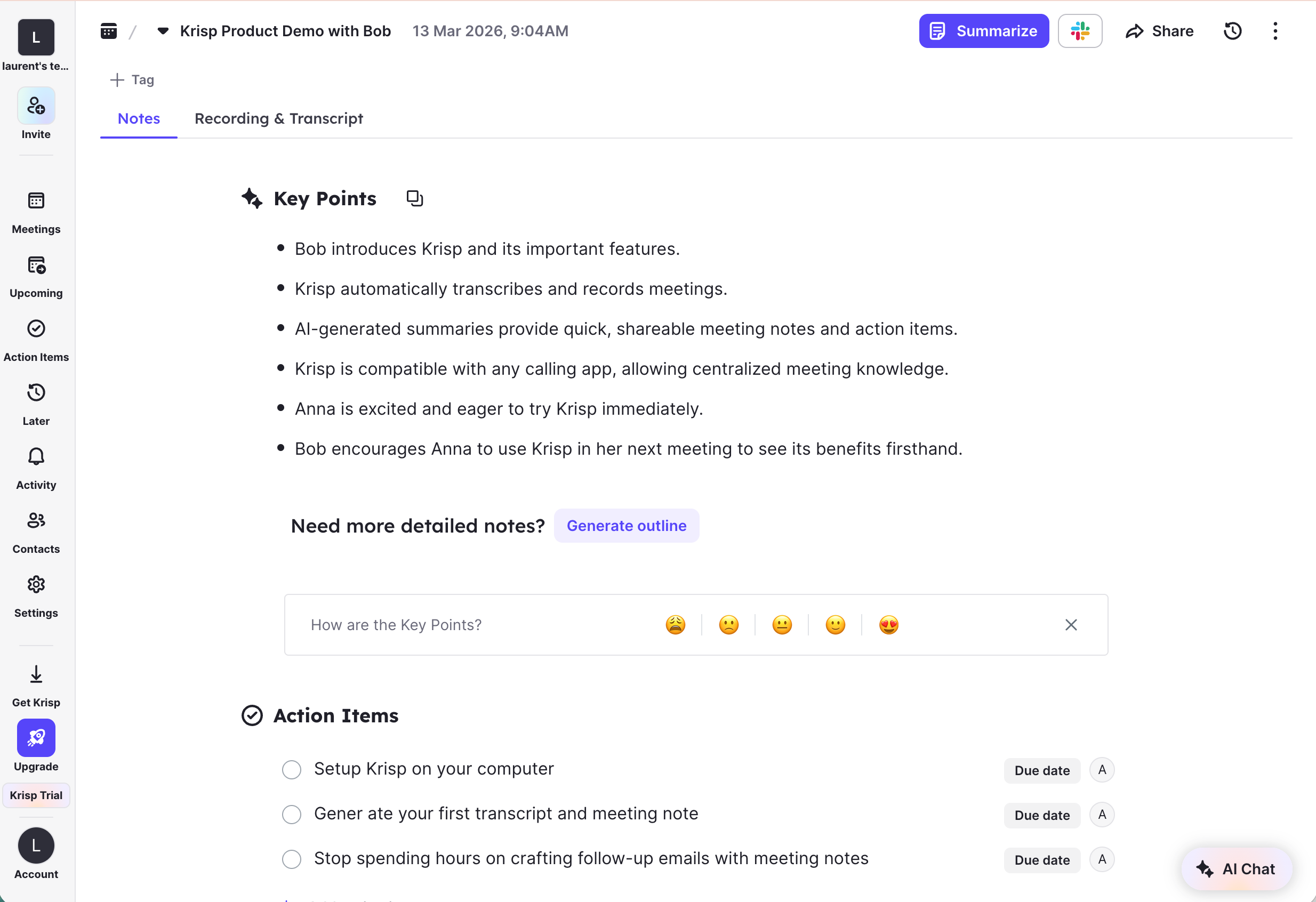
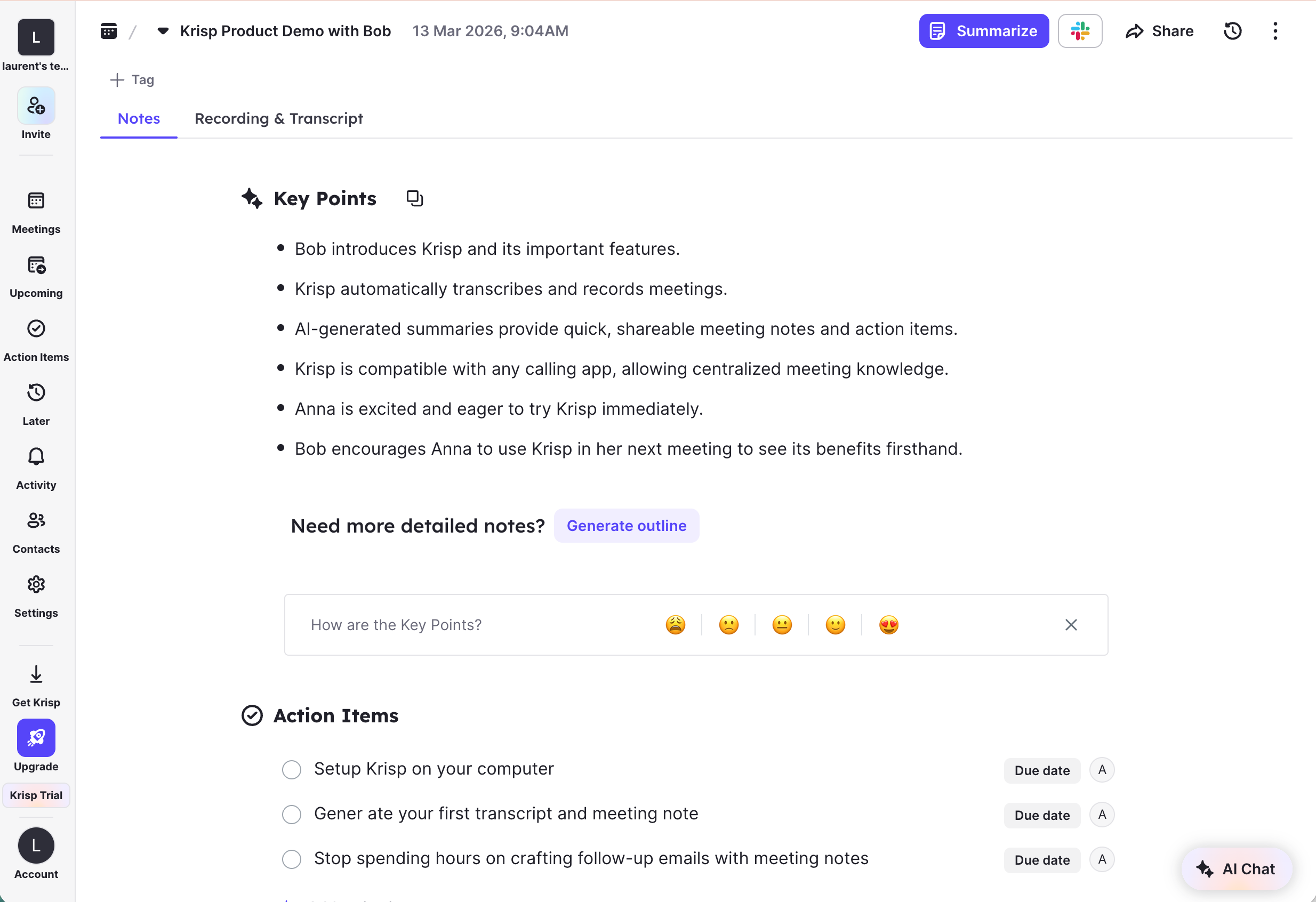
Screenshot from Krisp of the summary generated