


Who can use this feature?
All users
Qwil desktop may require to be reloaded to reflect the latest features, new profiles you have created for your own organisation or invitations you have accepted to new organisations.
If you are using the browser this is the same a refreshing the page.
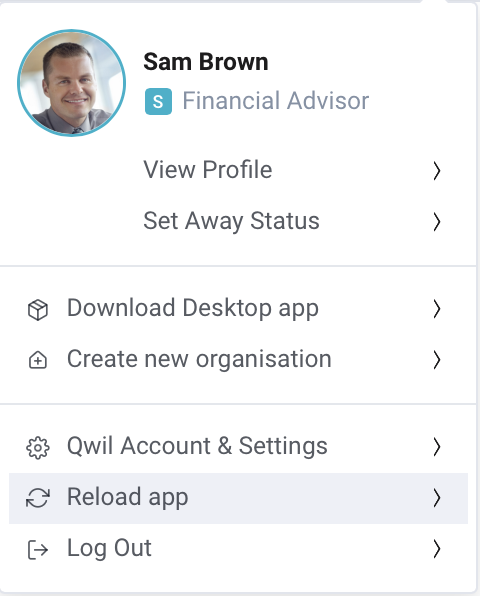
What to expect:
From the Qwil Application: Click on your profile (top right) and Reload app.
- Alternatively:
Apple: Open Qwil desktop app. Press Command + R. Qwil Desktop app will reload
Windows: Open Qwil desktop app. Press Ctrl + R . Qwil Desktop app will reload
- Alternatively:
Mobile (Apple, Android): Simply swipe up to close the app and open the app again.