


Who can use this feature?
Staff users only
Meet, discuss, and share ideas with audio and video calls. With Qwil Meet you can talk to your clients and colleagues directly from the security of Qwil Messenger. You will be able to manage, track and elevate your virtual meetings, conferences, and discussions keeping conversations all in one place.
To schedule a meeting:
A scheduled meeting will be valid for a year, and it can be reused until it expires. Scheduled meetings can be added to calendars or sent by email. Currently, scheduled meetings can only be created on desktop and web. You can of course assign titles to the meetings.
On web:
- Click on the meetings icon on the left menu. The list of meeting links shared in chats and created can be viewed.
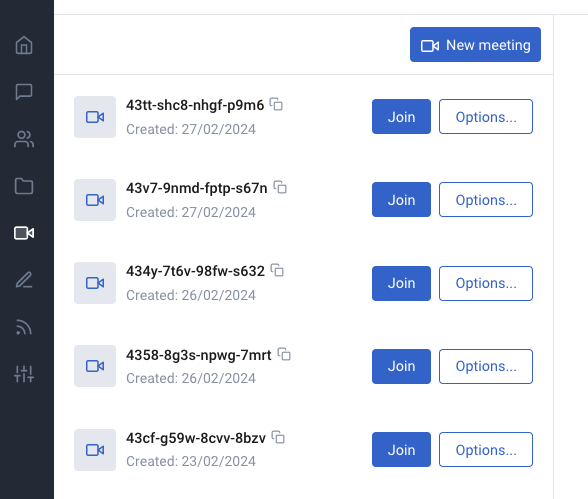
- Click on New meeting
- A modal will open. Select Join now or share the meeting link with the means offered. You are also able to set a Label for the meeting. When you share with a calendar, simply select the date and time when the meeting will take place and the invite will be sent.
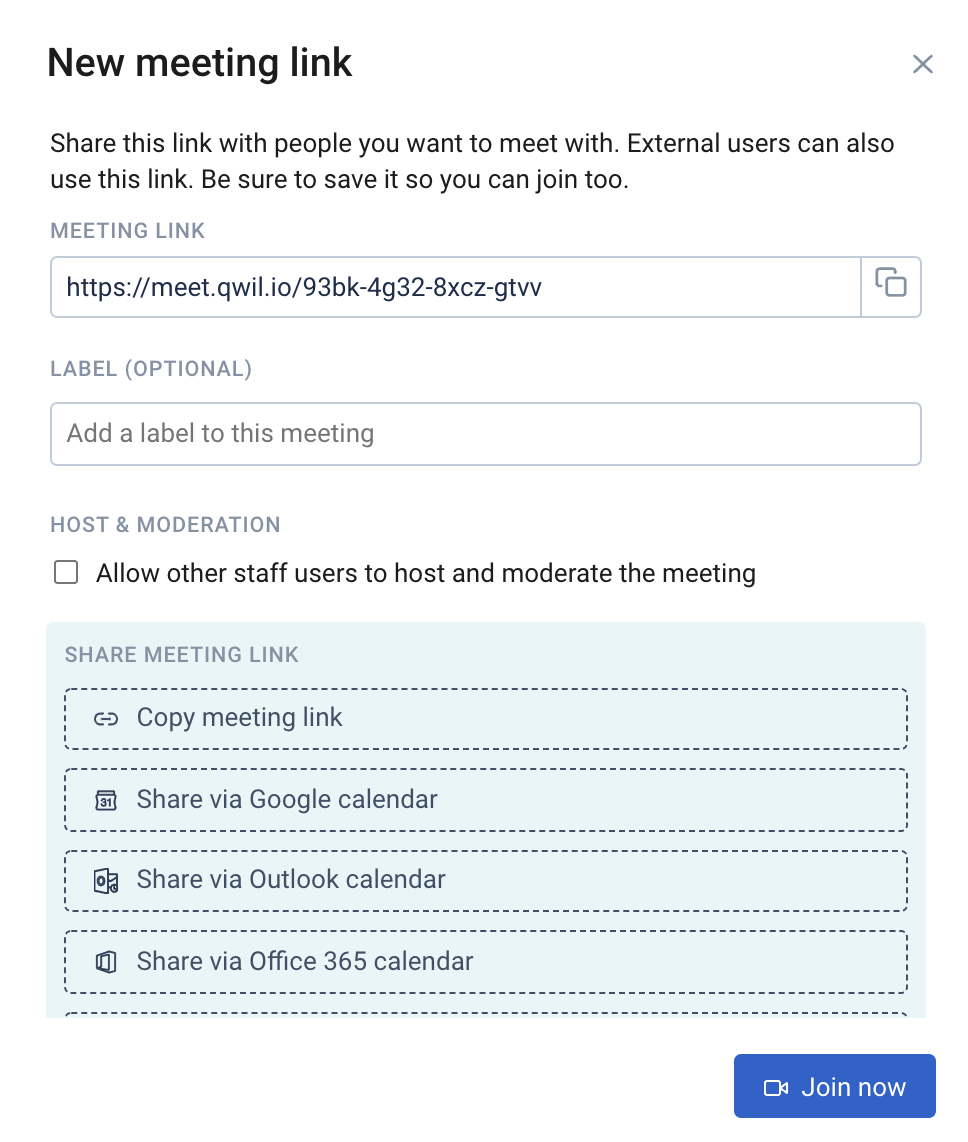
- The meeting can be joined at any time and can be reused until it expires (1 year)
- When you start or create a new meeting link these will be saved in the Meetings tab and can be managed, shared or deleted.